


Can't Login JEN Auction from my iPhone / iPad.... What to do in a case like this?
You CAN LOGIN by setting ON/OFF of Cookie Block.
Setting Up
※The Home screen image and Settings icon as shown below are different depending on OS versions.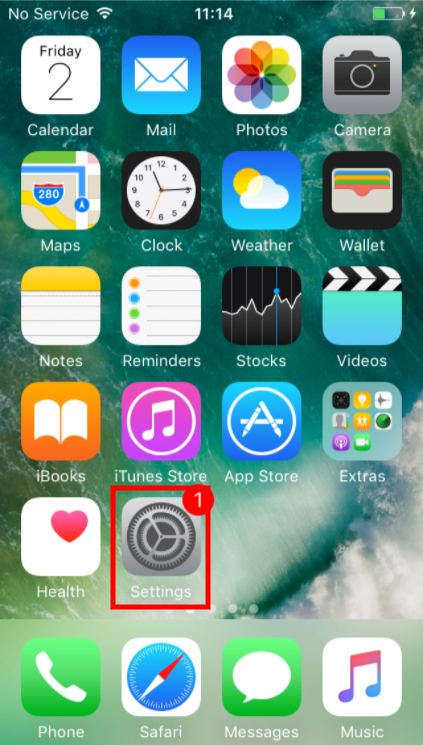
1.Tap the "Settings" icon on the Home screen displayed at the beginning.
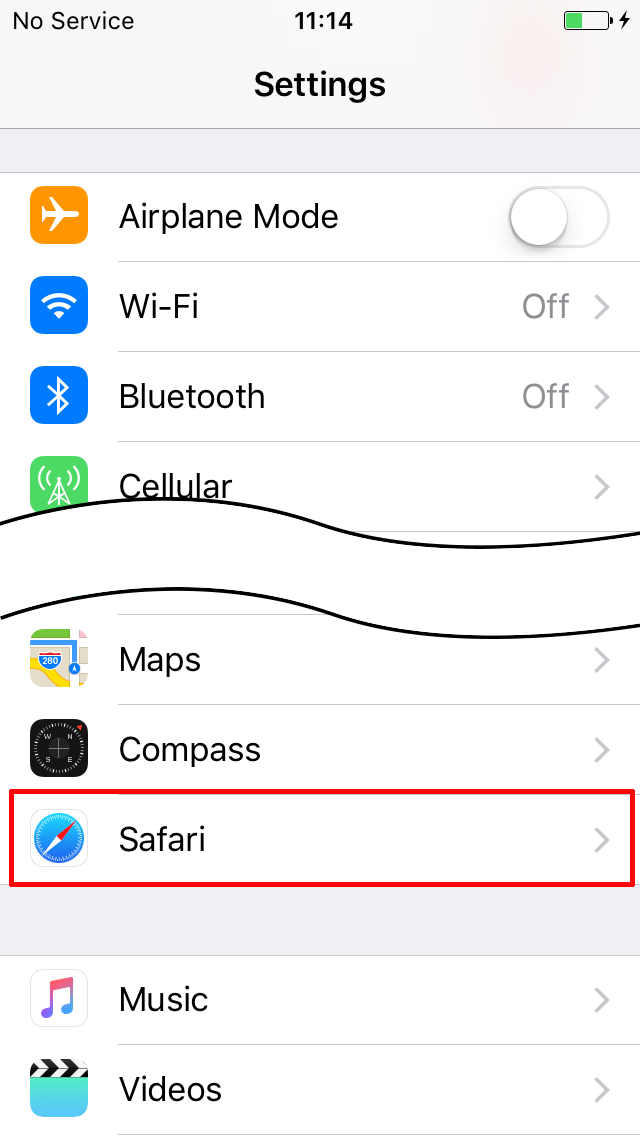
2.Select "Safari" from the Menu on the left side.
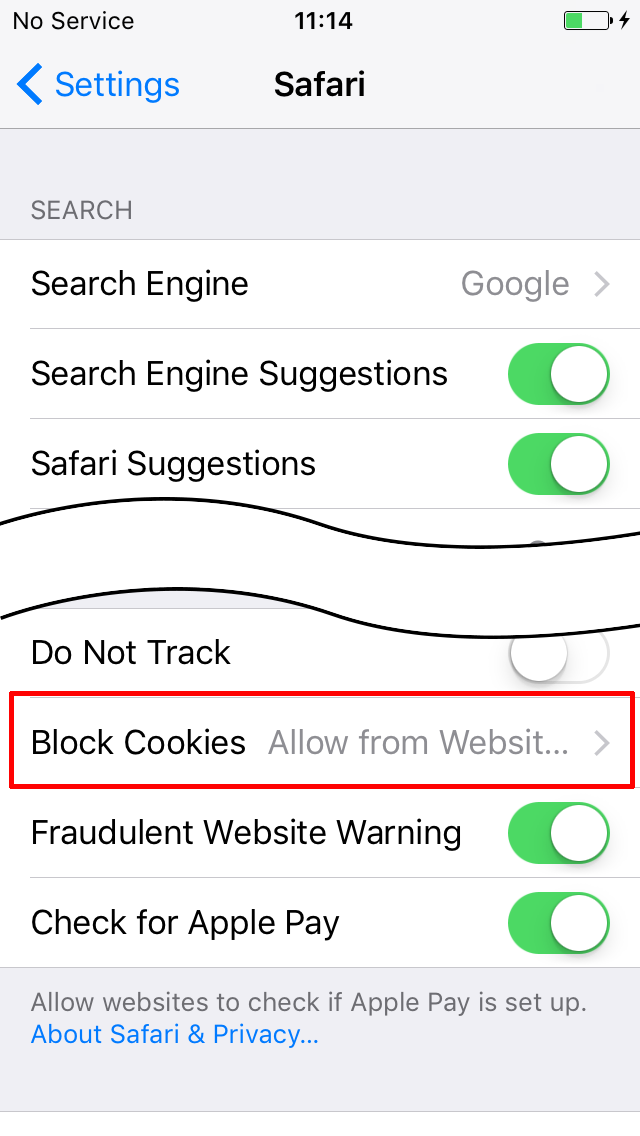
3. Go to Privacy and Security and select "Block Cookie."
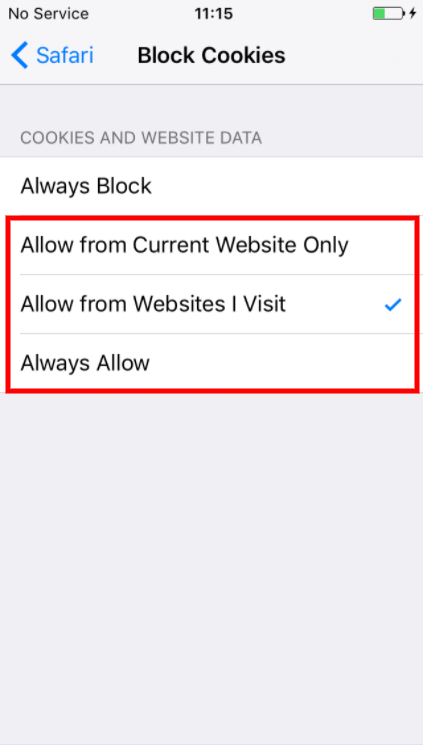
4.On the next page under "Block Cookie" (or Cookie and Websites Data),tick "permit connection to the already-visited websites."
In case there is still No Improvement…
When your problem has not been solved after the above setting operation, it may be possible that the error could have been causesd due to viewing multiple pages using browser "Safari." Please close all the pages opened by the browser and start opening up again and see how this would help.
■How to Close Pages【iPhone】
1. Select "square icon" at the lower right on the browser (Safari) screen.
2. Tap "x" at the upper left of the already-opened page → Page closes.
【iPad】
1. Select "Headline of Homepage" on the browser (Safari) screen.
2. Tap "x" on the left side of the Headline → Page closes.